Google Ads for Doctors SEO Outline: Campaign Setup, Keywords, Budget & Landing Pages
Doctors and clinics get most new patients from one simple habit: people search on Google when they need help. If your practice shows up at the top (with the right message), you can get more calls and bookings.
This guide explains Google Ads for doctors in a clear, step-by-step way. It also follows an SEO outline style, so the topic is fully covered (not just one keyword repeated).
Important: This is marketing guidance, not medical or legal advice. Always follow your local advertising rules and patient privacy laws.
What Makes Google Ads Work for Doctors
Google Ads works best when you match these 3 things:
- High intent search
Example: “ENT doctor near me” is stronger than “why do I get ear pain”.
- Clear trust
Patients want safety and proof: credentials, reviews, clinic photos, and simple next steps.
- Fast action
Many patients book from mobile. If your page is slow or confusing, you lose them.
Step 1: Set Goals + Tracking (Before You Spend)
Before you run ads, decide what “success” means.
Pick 1 main goal (keep it simple)
Choose one:
- Phone calls (best for urgent care, dentists, clinics)
- Appointment bookings (best if you have online booking)
- Lead form submissions (works for elective services)
Decide what conversions you will track
Track at least:
- Calls from ads
- Calls from website
- Booking confirmations (if possible)
- Form submissions
Helpful Google resource (conversion tracking):
https://support.google.com/google-ads/answer/1722054
Privacy note (important for doctors)
Avoid collecting extra patient data in forms. Keep forms short and safe. Follow your local privacy rules.
Step 2: Build a Clean Campaign Structure (So Google Can Learn)
A messy account wastes money. A clean structure makes optimization easy.
Recommended structure for most clinics
Create campaigns by service type and location intent:
Campaign 1: Core Service – Search
- Ad group: “primary care”
- Ad group: “family doctor”
- Ad group: “walk-in clinic” (if applicable)
Campaign 2: Specialty – Search
- Ad group: “dermatologist”
- Ad group: “pediatrician”
- Ad group: “ENT”
- Ad group: “orthopedic”
(Only include what you offer.)
Campaign 3: Brand – Search
- Your clinic name + doctor names
(This is usually cheap and protects your brand.)
Campaign 4 (Optional): Remarketing
- For people who visited your site but did not book
(Use carefully in healthcare. Follow policies.)
Targeting basics (for local practices)
- Use location targeting for your city/area.
- Use “Presence” targeting (people in or regularly in your location).
- If you serve multiple areas, separate them later (after you have data).
Step 3: Keyword Research for Doctors (High-Intent Keywords)
Keyword research is not about adding 500 keywords. It is about picking the right searches.
High-intent keyword patterns (best for bookings)
These patterns usually bring real patients:
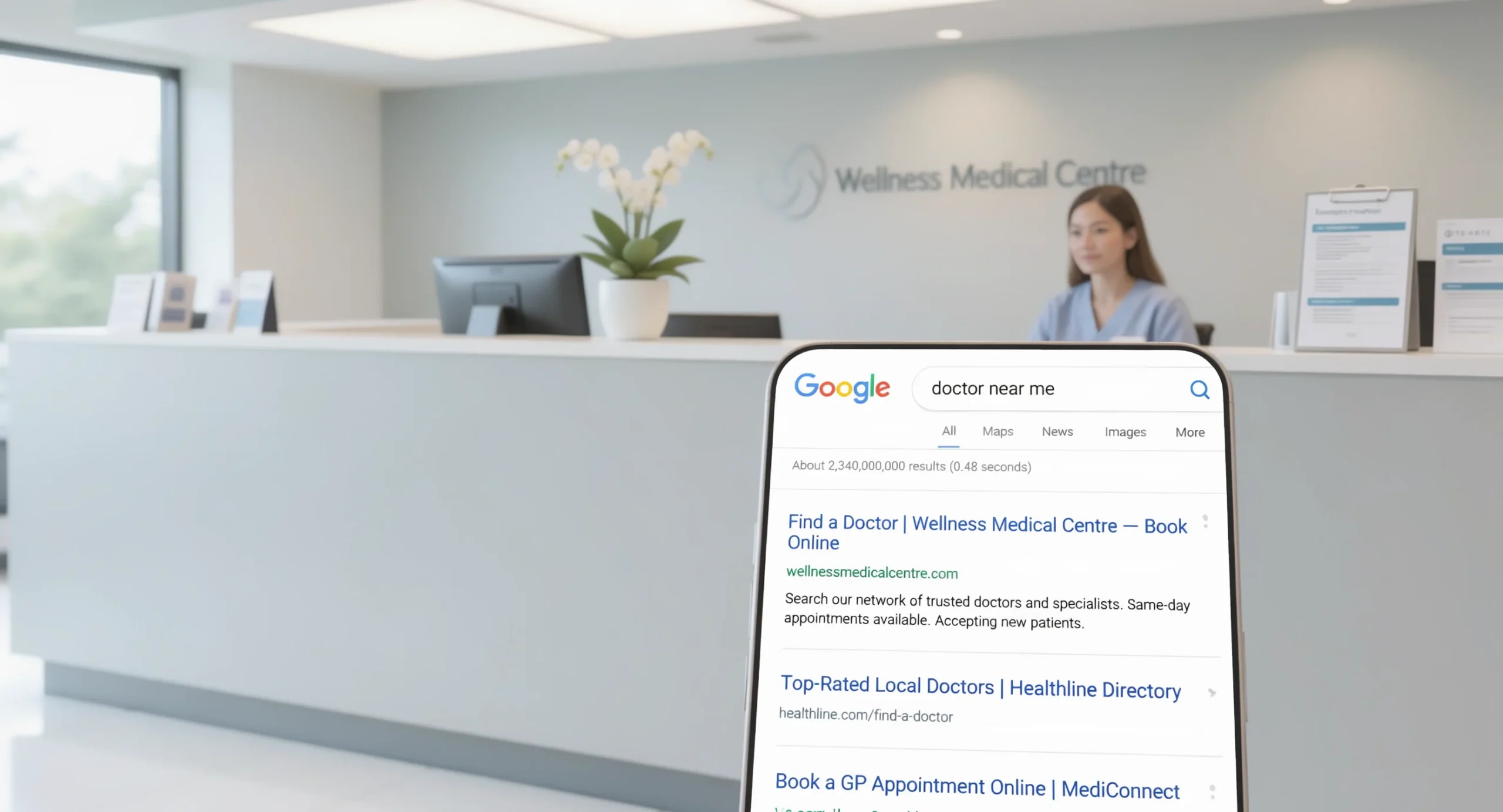
- “doctor near me”
- “clinic near me”
- “same day appointment [city]”
- “pediatrician [city]”
- “dermatologist near me”
- “urgent care [city]”
- “women’s health clinic [city]”
- “sports injury doctor [city]”
Service + location keywords (the main list)
Make a list like:
- primary care physician + city
- family doctor + city
- internal medicine doctor + city
- children’s doctor/pediatrician + city
- skin doctor/dermatologist + city
- ENT specialist + city
- orthopedic doctor + city
“Problem” keywords (use with care)
Some symptom searches can work, but they can also bring low-quality clicks.
Examples:
- “ear infection doctor near me”
- “rash doctor near me”
- “knee pain doctor near me”
If you use these, watch your Search Terms report closely and add negative keywords often.
Match types (simple)
Start with:
- Phrase match for control
- Exact match for your best keywords
Use broad match only if you have strong conversion tracking and you monitor often.
Google match type help:
https://support.google.com/google-ads/answer/7478529
Step 4: Negative Keywords (Stop Wasting Budget)
Negative keywords block bad searches.
Common negative keywords for doctors/clinics
Add based on your services, but here are common ones:
- free
- jobs / career / salary
- school / course / training
- meaning / definition
- what is
- symptoms (optional; depends on your strategy)
- home remedy
- DIY
- insurance jobs
Also add negatives for services you do not offer:
- “dental” (if you are not a dentist)
- “plastic surgery” (if you do not do it)
- “vet” (yes, this happens)
Tip: Check Search Terms 2–3 times per week in the first month.
Step 5: Write Ads That Get Clicks (Without Risky Claims)
In medical ads, trust matters more than hype.
What your ad should clearly say
- What you treat / service offered
- Your location
- A simple benefit (same-day slots, experienced staff, easy booking)
- A clear action (Call now, Book online)
Safe ad copy example (template)
Headline ideas
- Family Doctor in [City] – Book Today
- Same-Day Clinic Visits – Call Now
- Trusted [Specialty] Care in [City]
Description example
- “Friendly clinic with experienced doctors. Convenient location, fast appointments, and clear pricing. Call or book online today.”
Avoid “guaranteed cure” or risky medical promises.
Google Ads healthcare policy (important):
https://support.google.com/adspolicy/answer/176031
Use ad assets (extensions)
These increase clicks and trust:
- Call asset
- Location asset (connect to Google Business Profile)
- Sitelinks (Services, Insurance, Book Appointment, Reviews)
- Structured snippets (Services: Checkups, Vaccines, Labs)
Assets overview:
https://support.google.com/google-ads/answer/2375499
Step 6: Budget Planning (Simple and Realistic)
Many doctors set a random budget. A better way is to start with simple math.
A simple budget formula
- Decide what one new patient is worth to you (rough estimate).
Example: $300 average value.
- Decide what you can pay to get one new patient.
Example: $80 acquisition cost (CAC).
- Estimate your conversion rates:
20 clicks → 1 lead (5% conversion rate)
2 leads → 1 booked patient (50% lead-to-patient)
Now you can estimate what you can afford per click.
Starter budgets (general guidance)
- Low competition areas: you can test with smaller budgets.
- High competition cities: you may need higher daily budgets to get enough data.
A smart start for many local clinics is: enough budget to get at least 15–30 conversions per month (calls/forms/bookings). That gives Google enough data to optimize.
Step 7: Landing Pages That Turn Clicks Into Bookings
Sending traffic to your homepage is a common mistake. Use a landing page made for one service.
Landing page checklist for doctors
Your page should have:
Above the fold (top area)
- Clear headline: “Dermatologist in [City]”
- One clear button: “Call” or “Book Appointment”
- Trust signals: rating, years of experience, clinic photos
Middle of page
- Services and conditions you treat (simple bullet list)
- What happens in the visit (simple steps)
- Insurance accepted (if applicable)
- Doctor credentials (short and clear)
Bottom of page
- FAQs (pricing, availability, location, parking)
- Contact details
- Embedded map (optional)
Speed matters
Most people click from mobile. If your page loads slowly, you lose bookings.
Test speed:
9) Step 8: Conversion Tracking (Calls + Forms + Bookings)
If you do not track conversions, Google cannot optimize well.
Must-track items
- Calls from call assets
- Calls from your website (call button)
- Form submissions
- Booking confirmation page view (if you have online booking)
Google Ads conversion tracking setup:
https://support.google.com/google-ads/answer/6095821
Step 9: Weekly Optimization Checklist (10–20 Minutes)
Do these weekly:
Search terms review
- Add negative keywords
- Find new good keywords to add
Check conversions and cost
- Which campaign gets bookings at a good cost?
- Which campaign wastes spend?
Improve ads (small tests)
Test one change at a time:
- New headline
- “Book Online” vs “Call Now”
- Add “Same-day appointments” (only if true)
Landing page checks
- Is the phone number easy to tap?
- Are people bouncing fast? (check GA4)
- Is booking working on mobile?
Step 10: Local Tips (Google Maps + Location Assets)
Google Ads and Google Maps work well together.
Connect Google Ads with Google Business Profile
This lets you use location assets and helps local trust.
GBP help:
https://support.google.com/business/
Reviews improve clicks
Even if reviews do not directly lower CPC, they often increase trust and conversions.
Bonus: Use Google Ads Data to Improve Your SEO (Smart Combo)
This is the “SEO outline” part that most clinics miss.
Google Ads gives fast data. SEO gives long-term free traffic. Use Ads to learn what people want, then build SEO pages for it.
How to use Ads data for SEO
- Export top converting search terms
- Create or improve service pages around those topics
- Write simple blog posts that answer common questions
- Build internal links from blog → service pages
Examples of SEO content topics for clinics:
“How to book a same-day doctor appointment in [City]”
“Walk-in clinic vs urgent care: what’s the difference?”
“[Specialty] appointment: what to expect”
30–60–90 Day Action Plan
Days 1–30 (Setup + clean data)
- Create campaign structure
Add conversion tracking
- Build 1–2 strong landing pages
- Start with phrase + exact match keywords
- Add basic negative keywords
Days 31–60 (Control waste + improve quality)
- Weekly search terms cleanup
- Add more ad variations
- Improve landing page speed and clarity
- Split campaigns by best services
Days 61–90 (Scale what works)
- Increase budget only on profitable campaigns
- Add new locations (if you serve them)
- Add SEO pages based on converting search terms
- Start remarketing (only if policy-safe)
Common Google Ads Mistakes Doctors Make
- Sending all traffic to the homepage
- Tracking nothing (no calls, no forms)
- Using too many broad keywords too early
- Not using negative keywords
- Making medical promises in ad copy
- Running one campaign for 20 different services
- Not showing trust (reviews, credentials, clinic photos)
FAQ
How fast can Google Ads bring patients?
Often within days, but good performance usually takes 2–6 weeks of learning and optimization.
Should doctors run Search ads or Display ads?
Start with Search ads. Display is usually lower intent and can waste spend if not controlled.
What is better: Google Ads or SEO?
Google Ads = faster results (paid).
SEO = slower but long-term traffic (free clicks).
Best plan: use both.