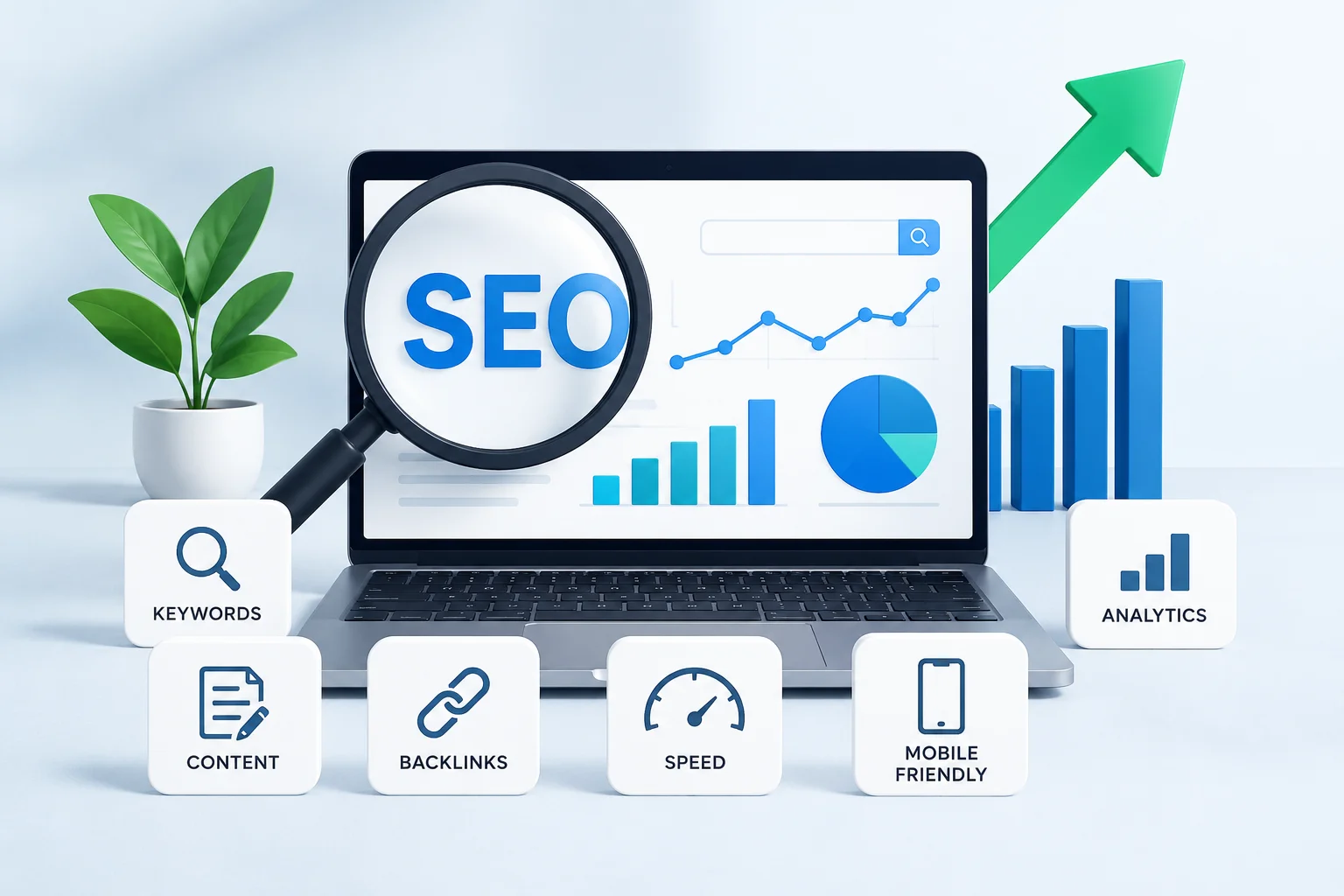
7 Smart Tips to Boost SEO Rankings and Drive More Organic Traffic
Here’s what most people get wrong about SEO: they treat it like a checklist.
Publish content → Build links → Optimize speed → Wait for rankings.
That’s not how it works. And frankly, following that formula is why so many businesses waste time and money on SEO that doesn’t deliver.
I’ve spent the last decade watching which tactics actually move the needle and which ones are just noise. I’ve seen businesses in the US, UAE, and UK crush it with SEO while competitors spending double the budget barely move the needle. The difference? Strategy, not effort.
Here are 7 tactics that separate the businesses actually ranking from the ones spinning their wheels. Some of these will surprise you because they go against common SEO advice. Some are deceptively simple but almost nobody executes them properly. All of them work.
Tip 1: Stop Targeting Keywords Nobody’s Actively Searching For
This sounds obvious. It’s not. Most businesses mess this up completely.
They find a keyword with 5,000 monthly searches and think “perfect.” They don’t ask whether those 5,000 searches are from real people with real intent, or whether they’re accidental clicks from completely unqualified traffic.
Here’s the problem: Search volume ≠ Search intent ≠ Business value
I see this constantly. A US e-commerce store targeting “sustainable fashion” got 40,000 monthly impressions and maybe 60 clicks. Why? Because people searching “sustainable fashion” wanted to learn about the concept or find ethics resources—not buy clothes from that specific brand.
They shifted to “affordable sustainable clothing under $50.” Same traffic volume nearby (4,000 searches monthly), but completely different searcher. This person is looking to buy. Ranking for that keyword brought 8 qualified visitors per month—but 2-3 of them became customers.
40,000 useless impressions vs. 4,000 qualified impressions. The smaller number won the business revenue.
How to Actually Evaluate Keyword Value (Not Just Volume)
Step 1: Check the SERP yourself
Type the keyword into Google. Look at the top 10 results. Ask:
- Are these competitor websites or informational resources?
- Does the content match what you can uniquely provide?
- Are there product listings, or pure educational content?
If the SERP looks nothing like your business, skip the keyword. Ranking won’t matter.
Step 2: Use Google Search Console (not keyword tools)
Your actual traffic data > estimated volume from tools. In Google Search Console, filter for keywords where you rank positions 4-10. These are closest to breaking top 3. Now check:
- Click-through rate: Are people actually clicking?
- Impressions vs. clicks ratio: If you’re getting 1,000 impressions but 10 clicks, intent is weak
A 5% CTR is healthy. 0.5% means intent mismatch.
Step 3: Check search intent against your business goals
A keyword might have perfect intent but wrong for your business. Example: “How to start an SEO agency” has great intent (people want to take action). But if you sell SEO tools, that keyword doesn’t help. People searching that want agency advice, not software.
| Keyword Volume | CTR in SERP | Your Rank Position | Real Value |
| 50,000/month | 0.3% | Page 3 | ❌ Low (wrong intent) |
| 5,000/month | 6% | Position 8 | ✅ High (fixable rank + good intent) |
| 500/month | 12% | Position 15 | ✅ Medium (small but qualified traffic) |
| 3,000/month | 0.2% | Position 2 | ❌ Low (intent mismatch despite good rank) |
Reality check: A UAE SaaS company was obsessed with ranking for “project management software” (85,000 monthly searches). They eventually ranked position 3. Traffic? Garbage. Why? Everyone searching that term either already uses software or wants the big players (Asana, Monday, etc.).
They refocused on “project management software for agencies” (900 monthly searches). Lower volume. Much higher ranking difficulty. But 40% of that traffic converted into trials. That single shift changed their entire SEO ROI.
Tip 2: Your Topic Clusters Are Probably Structured Wrong
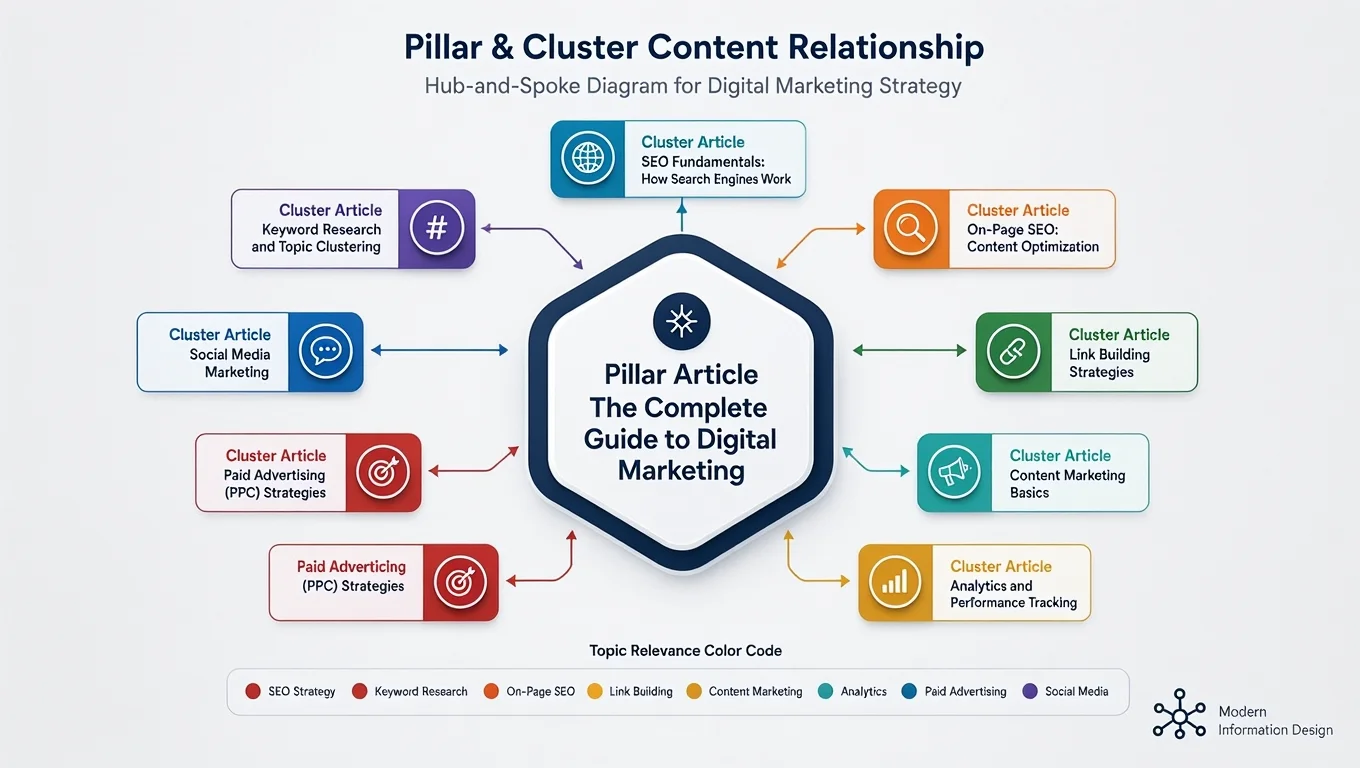
Everyone talks about topic clusters now. Almost nobody does them right.
The common mistake: creating a pillar page covering “SEO” broadly, then writing 8 articles around it. That’s not a cluster. That’s just a website structure that happens to have internal links.
A real topic cluster has one job: show Google you’re the authority on one specific, defensible topic area.
The Right Way (And Why Most People Get It Wrong)
Wrong approach:
- Pillar: “Complete guide to SEO” (too broad, too competitive)
- Clusters: 8 random SEO articles about anything
Right approach:
- Pillar: “Technical SEO for E-Commerce” (specific, defensible)
- Clusters: 8 articles specifically about technical factors affecting e-commerce sites
- Core Web Vitals and checkout abandonment
- Mobile page speed for mobile-first indexing
- Site structure for product discovery
- Schema markup for rich snippets in shopping results
- etc.
The second version says to Google: “I’m the expert specifically on technical SEO when you’re selling products online.” That’s defensible.
Real Metrics: What Happens When You Get Clusters Right
A UK home goods e-commerce site was doing generic blog content. They structured it into topic clusters around specific customer journeys:
- Cluster 1: “Choosing furniture for small spaces” (pillar + 7 articles)
- Cluster 2: “Interior design on a budget” (pillar + 6 articles)
- Cluster 3: “Sustainable home goods” (pillar + 8 articles)
Before: 45 keywords ranking top 20
After (6 months): 340 keywords ranking top 20
Same budget. Same writer. Just better structure.
How to Build a Real Cluster (Checklist)
Define pillar topic:
- Specific enough to own, broad enough to have 5-8 subtopics
- Example: ✅ “WordPress SEO for e-commerce” vs. ❌ “SEO basics”
Map subtopics (should be things someone needs to know about your pillar):
- If pillar is “WordPress SEO for e-commerce”:
- Keyword optimization in Shopify vs. WordPress
- Site speed optimization for product pages
- Internal linking strategy for categories
- Structured data for products
- Mobile optimization for checkout
Create pillar content (2,500-4,000 words):
- Comprehensive but specific
- Links to all cluster articles
- Answers the “why” someone needs this pillar topic
Create cluster articles (1,500-2,500 words each):
- Deep dive on one subtopic
- Links back to pillar + to related clusters
- Can stand alone but strengthens the whole cluster
Track it properly:
- Google Search Console: Monitor impressions and CTR across the cluster
- Know which articles are your “authority anchors” (getting the most links)
- Strengthen weak cluster articles by updating based on search trends
Tip 3: You’re Measuring Page Speed Wrong (And Missing Easy Wins)
Every agency says “fix your page speed.” Then they run PageSpeed Insights, see your score, and panic.
The reality? PageSpeed Insights score is almost meaningless for actual SEO performance.
What actually matters: Core Web Vitals (LCP, FID, CLS) and real-world user experience metrics.
The Metrics That Actually Impact SEO
| Metric | What It Measures | Actual Impact | How to Check |
| LCP (Largest Contentful Paint) | When main content loads | Major ranking factor | Chrome DevTools |
| FID (First Input Delay) | Response to user interaction | Ranking factor | Field data in GSC |
| CLS (Cumulative Layout Shift) | Visual stability | Ranking factor | Visual stability during load |
| TTFB (Time to First Byte) | Server response time | Upstream issue, not direct factor | WebPageTest |
| PageSpeed Score | Composite “grade” | Misleading, not directly a ranking factor | PageSpeed Insights |
What I see constantly: Business spends $2,000 optimizing images to improve PageSpeed score from 42 to 68. Score goes up. Rankings don’t move. Why? Their LCP is fine (1.8 seconds). The optimization didn’t address what was actually broken.
Real Page Speed Wins (And How to Find Them)
Step 1: Check actual field data first
Open Google Search Console → Experience → Core Web Vitals
Look at the real data from actual users, not lab simulations. If the field data shows “Good” status, page speed isn’t your ranking problem.
Step 2: If there IS a problem, identify what’s actually slow
Use Chrome DevTools (not PageSpeed Insights):
- Open your page
- DevTools → Performance tab → Record
- Scroll through your page normally
- Stop recording
- Look at the waterfall
This shows you the actual bottleneck. Usually it’s one of these:
- Third-party scripts (analytics, ads, chat widgets) loading before content
- Images not optimized (not compressed, wrong format)
- CSS/JavaScript blocking content rendering
- Server issues (slow database queries)
Step 3: Fix the actual problem, not the score
If the waterfall shows Google Analytics is loading before your hero image, remove the blocking script or defer it. This fixes LCP directly.
Real example: A US e-commerce site had 2.8 second LCP. Their PageSpeed score was 34. They thought they needed massive optimization.
Actual problem: They had 5 third-party scripts loaded synchronously (Zendesk chat, Facebook pixel, Google Analytics, Hotjar, and a retargeting pixel). Just deferring these scripts to load after page content dropped LCP to 1.4 seconds.
Their PageSpeed score only went to 52 (still “bad” by the score). But their conversion rate went up 6% because the site felt faster.
Tools That Actually Help (Skip PageSpeed Insights)
- WebPageTest.org — Real-world testing from different locations and devices
- GTmetrix — Shows actual bottlenecks, not just a number
- Chrome DevTools Lighthouse — Field data showing actual user experience
- Google Search Console (Core Web Vitals) — Real data from your actual users (most important)
Tip 4: Your Content Strategy Is Probably Based on Guesses (Not Customer Data)
This is where most content fails.
Businesses write what they think people want to read. Then they’re shocked when articles get zero traffic.
Real content strategy uses actual customer data. Not assumptions.
Where Real Customer Questions Actually Hide
- Support tickets and chat logs (Most valuable, most ignored)
Go through your last 100 support conversations. What questions do customers ask repeatedly?
A UK web development agency found that 40% of support questions were variations of: “How do I know if I should redesign vs. just update my site?”
Instead of writing generic “website redesign tips,” they wrote: “Website Redesign vs. Update: A Decision Framework (With 8 Real Warning Signs)”
Within 6 months: 850+ organic visits/month, 9% conversion to consultations.
Why? They answered the exact question people were asking, in the exact language customers used.
- Google Search Console query data (Underused)
In GSC, look at real searches triggering your impressions. Filter for:
- High impression count, low CTR (people searching but not clicking you)
- Searches ranking position 4-10 (most fixable)
A UAE business services firm noticed they were getting 600+ monthly impressions for “business setup in UAE” but ranking position 9. They assumed people wanted how-to guides.
Actual search intent? People wanted the fastest, cheapest way. They wanted comparison of services. They wanted step-by-step for someone with zero experience.
Rewriting one article to address “Business setup UAE: Complete step-by-step with costs and timeline” moved them to position 2 within 8 weeks.
- Comment sections and social media (Real language you should use)
When customers comment on your articles or ask on social media, they use actual language. Use that language in your content.
If customers say “How do I make my e-commerce site not look so cheap?” that’s better than writing about “premium design principles.”
Content Strategy Template (Based on Real Data)
| Question Type | Where Found | Content Solution | Priority |
| “How do I…” | Support tickets | Step-by-step guides | High |
| “Best…” / “Top…” | Google searches | Comparisons, reviews | High |
| “Why…” | Comments, chat | Educational deep-dives | Medium |
| “What is…” | Search queries | Definition articles | Low |
| “[Thing] for [use case]” | Support + GSC | Use-case specific guides | High |
Tip 5: Internal Linking Is Your Secret Authority Multiplier (If Done Right)
Most websites have terrible internal linking. Random links. Generic anchor text. No strategy.
This is your biggest quick win because you own it completely. No competition, no waiting for link building.
Internal linking done right = distributing “authority” from your strongest pages to pages you want to rank.
How Google Actually Uses Internal Links
When you link from Page A to Page B, you’re telling Google: “Page B is related to and important for this topic.”
If Page A already ranks well and has authority, that link gives Page B a boost.
The Strategy (Not The Theory)
Step 1: Identify your authority pages
In Google Search Console, look at which of your pages get:
- Most organic traffic
- Best rankings
- Most impressions
These are your “authority anchors.”
Step 2: Identify your target pages
Pages you want to rank but currently rank position 4-10 for valuable keywords.
Step 3: Create strategic links from anchor → target
But here’s where most people fail: they link with exact-match anchor text (“SEO services” → SEO services page). Google sees this as suspicious.
Better approach: Link with contextually relevant, slightly varied anchor text.
WRONG: “If you’re looking for professional SEO services, check out [our SEO services page].” (Too exact-match, too sales-y)
RIGHT: “This approach works best when combined with ongoing performance monitoring—something our team does as part of comprehensive SEO optimization. …” (Natural, contextual, authority flows naturally)
Real Results (With Specific Numbers)
A US e-commerce brand had 50 product pages that barely ranked. They weren’t linked to internally—buried in navigation.
Strategy:
- Identified their 20 best-ranking category pages as authority anchors
- Updated category page content to naturally link to related products
- Used contextual anchor text (“best option for outdoor use” vs. “outdoor product”)
- Linked from high-authority content hub pages to weak product pages
Results (3 months):
- 23 product pages moved into top 20 for target keywords
- 8 moved into top 3 (from non-ranking)
- Organic revenue from those pages: +$47,000/month
- Cost to implement: $0 (just content updates)
Quick Audit Checklist
Go through your top 10 ranking pages. Ask:
- Are they linked from your homepage or main navigation? (Should be)
- Are weak ranking pages linked from high-authority pages? (Should be)
- Is the anchor text natural or over-optimized? (Should be natural)
- Are internal links helping readers navigate (UX), or just SEO? (Should help readers first)
Tip 6: Stop Trying to Build Links. Build Content People Actually Want to Link To
This is where most link building fails.
Businesses obsess over “getting links” through outreach, guest posting, and tactics. Meanwhile, they’re not creating anything worth linking to.
Why Your Link Building Fails (And How to Actually Fix It)
The Reality of Link Building:
- 50% of businesses’ link-building outreach gets ignored
- When links come through, they often come from irrelevant sites (worthless)
- Manual outreach feels spammy to journalists and publishers (it is)
- You can’t buy natural links at scale anymore without risk
What Actually Works:
Content so genuinely valuable that people naturally want to cite it.
The Types of Content That Earn Natural Links
- Original research (Most valuable)
A US digital marketing agency surveyed 500+ e-commerce stores about their SEO budgets. They published findings: “2024 E-Commerce SEO Spending Report: Average budgets, what they spend on, ROI.”
Other blogs, news sites, and industry publications cited this research because it was unique, data-backed, and genuinely useful.
Result: 340+ referring domains within 6 months, without a single outreach email.
- Counter-narrative to industry consensus
“The link-building tactic everyone recommends actually hurts your site” (backed with data)
“Why topic clusters don’t work for most small businesses” (with specific scenarios)
These get cited, debated, shared. Controversy = Links.
- Comprehensive resource that becomes the standard reference
A UAE business consultant created “The Complete Founder’s Checklist: Everything You Need Before Launch” (comprehensive, updated regularly, referenced constantly).
This became the resource people linked to when discussing startup preparation.
- Tools or calculators people actually use
A UK digital agency created an “SEO ROI Calculator: Estimate Your Organic Revenue Potential.”
It got bookmarked, shared, embedded on other sites. Natural links naturally followed.
What NOT to Do (But Everyone Still Does)
❌ Guest posting on random blogs with no audience
❌ Buying links or link packages
❌ “Link exchange” with irrelevant sites
❌ Footer links and sidebar placements
❌ Begging for links via template outreach
All of these waste time and increasingly risk penalties.
Real Strategy (How We Actually Do It)
- Identify what your industry lacks: What research is missing? What questions aren’t answered comprehensively?
- Create that content (invest time and money into something genuinely valuable)
- Promote to people who’d naturally cite it (journalists, industry leaders, researchers)
- Natural links follow
This takes longer than spammy tactics. It works infinitely better.
Tip 7: User Experience Signals Are Becoming More Important Than Keywords (And How to Optimize Them)
Here’s what most people miss: Google increasingly cares about whether your content actually satisfies users.
This isn’t theory. This is measurable and actionable.
The Signals That Matter (And How to Measure Them)
- Click-Through Rate (CTR) from Search Results
If you rank position 5 but only get 1% of people to click your result, Google notices. Your ranking usually drops over time.
If you rank position 8 but get 8% of people to click, Google might move you up.
Optimize for CTR:
- Write titles that match search intent (don’t click-bait)
- Meta descriptions that convey value, not just description
- Use numbers: “7 Tips” performs better than “Tips”
- Create clarity: “The Complete Guide for Beginners” beats “Everything You Need to Know”
Test it: Look at your GSC data. Find rankings with low CTR. Rewrite titles/descriptions. Monitor for improvement (2-3 weeks usually shows results).
| Current Title | CTR | New Title | New CTR | Ranking Change |
| “SEO Tips” | 2.1% | “7 SEO Tips That Actually Boost Rankings (2024)” | 6.8% | Pos 8 → Pos 5 |
| “WordPress Guide” | 1.8% | “WordPress Setup Guide for E-Commerce: Step by Step” | 5.2% | Pos 12 → Pos 6 |
| “Paid Ads” | 3.2% | “Google Ads vs. Facebook Ads: Which Actually Works for E-Commerce” | 7.9% | Pos 4 → Pos 2 |
- Bounce Rate and Time on Page
High bounce rate = content didn’t satisfy intent. Google notices.
But here’s what’s counterintuitive: you don’t necessarily want people to stay on your page forever.
If someone searches “how to reset password,” they want a 30-second answer. They leave immediately. That’s healthy bounce.
If someone searches “best project management software,” they should spend 3-5 minutes evaluating. If they bounce in 10 seconds, your content didn’t deliver.
Optimize for the right behavior:
- Short-answer queries: Keep content scannable, get answer in first 100 words
- Research queries: Provide depth, use visuals, make compelling
- Decision queries: Include comparisons, pros/cons, decision frameworks
Measure it: Google Analytics → Behavior → Pages → Time on Page + Bounce Rate
Target varies by content type:
- FAQ article: 45 seconds is fine
- Product comparison: 2+ minutes is good
- Tutorial: 3+ minutes is good
- Pages Per Session and Return Visitor Rate
Do people explore your site, or do they come once and leave?
If someone lands on your blog, do they click related articles? This signals to Google that your site is valuable and interconnected.
Optimize:
- Every article should link to 3-5 related articles (internal linking again)
- Related posts section (actually useful, not just random)
- Content series (part 1 → part 2 → part 3, naturally linked)
- Navigation that encourages exploration
Real example: A business services site had visitors staying 1.5 minutes per session, checking one page.
They added:
- Related articles section (contextually relevant)
- “Series” tag for multi-part content
- “You might also need” recommendations in footer
Within 2 months: 3.2 minutes per session, 1.7 pages per visit. Bounce rate dropped 18%.
The Engagement Optimization Checklist
Before publishing:
- [ ] Is title clear about what readers get?
- [ ] Does meta description convey value?
- [ ] Can readers understand main point in first 100 words?
- [ ] Is content scannable (short paragraphs, subheadings)?
- [ ] Do I have 3+ internal links to related content?
- [ ] If it’s comparison content, are comparisons actually useful?
- [ ] Would someone want to share this, or just consume it?
- [ ] Is the length appropriate for the topic (not artificially padded)?
Key Takeaways: Your Real Action Plan
- Audit your current keywords using GSC (not keyword tools). Find keywords you rank 4-10 for with good CTR. Double down on those.
- Reorganize content into real topic clusters — not just related articles, but defensible authority areas. Check what competitors are missing.
- Measure actual Core Web Vitals (not PageSpeed score). Open GSC → Core Web Vitals. If status is “Good,” page speed isn’t your problem.
- Use customer data, not guesses. Review support tickets and GSC queries. Write content answering actual questions people ask.
- Link from authority pages to weak pages with natural anchor text. Run an internal link audit. You probably have 50+ quick wins.
- Stop “building links.” Start creating content worth linking to. One piece of genuinely valuable research > 100 outreach emails.
- Optimize for user engagement signals: CTR (better titles), bounce rate (match intent), pages per session (internal linking). Monitor in Analytics and GSC.
Frequently Asked Questions
Q1: How long before I see results from these tactics?
A: Depends on your starting point and competition. CTR optimization (Tip 7) can show results in 2-3 weeks. Content and link building (Tips 4, 6) take 3-6 months. Topic clusters (Tip 2) show impact at 6-9 months.
But here’s what matters: within 30 days, you should see some movement in GSC (impressions, clicks, or ranking changes for some keywords). If nothing changes, something else is wrong.
Q2: Which of these should I implement first?
A: Honestly, it depends on your current situation. Run this quick audit:
- GSC showing Core Web Vitals as “Poor”? → Fix Tip 3 first
- Most pages are standalone with no internal linking? → Start with Tip 5
- Getting 1,000s of impressions but low CTR? → Optimize Tip 7 (titles/descriptions)
- Rankings stalled and not improving? → Likely need Tip 1 (wrong keywords) or Tip 4 (weak content)
Q3: Can I do this myself, or should I hire someone?
A: You can own Tips 1, 4, 5, and 7 yourself (keyword analysis, content, linking, engagement). Tips 2, 3, and 6 benefit from expertise:
- Topic clusters (Tip 2): Requires strategic thinking. You can do this if you know your market well.
- Core Web Vitals (Tip 3): If you have a technical team, great. Otherwise, hire help.
- Content worth linking to (Tip 6): Requires original thinking and time investment. Many businesses underestimate this.
Q4: Does this work for all industries?
A: Yes, with adjustments:
- E-commerce: Tips 1, 5, 7 have biggest impact (keywords matter, internal linking drives discovery, engagement signals strong)
- B2B/SaaS: Tips 2, 4, 6 matter most (topic clusters show authority, customer-focused content converts, quality content earns links)
- Local services: Tips 1, 4, 7 (keyword intent is everything, local customers have specific questions, local reviews influence engagement)
Q5: How do I track if these are working?
A: Use this simple dashboard:
| Metric | Tool | Target |
| Core Web Vitals Status | Google Search Console | “Good” |
| CTR from search (top 20 keywords) | Google Search Console | 5%+ |
| Organic traffic trend | Google Analytics | Consistent growth month-over-month |
| Bounce rate | Google Analytics | -10% within 3 months |
| Pages per session | Google Analytics | +0.5 pages within 3 months |
| New keywords ranking top 20 | Google Search Console | +10 keywords monthly |
Q6: What if I’m already ranking for most of my target keywords?
A: Two things:
- Optimize to move from position 2-3 to position 1. Small rank improvements drive disproportionate traffic increases (position 1 gets ~30% of clicks, position 2 gets ~15%).
- Expand to adjacent keywords. If you rank well for “SEO services,” also target “white label SEO,” “affordable SEO,” “SEO for e-commerce,” etc. Use Tip 2 (clusters) for this.
Q7: How do I know which agency or consultant to hire if I need help?
A: Ask them:
- “What specific results did similar clients see?” (Real metrics matter, not just “we improved rankings”)
- “How do you approach keyword selection?” (If they start with keyword tools instead of intent analysis, skip them)
- “What does your content process look like?” (Should involve customer research, not just keyword insertion)
- “How do you measure success?” (Should mention CTR, bounce rate, conversions—not just rankings)
When You Need Strategic Guidance
These 7 tips work best when implemented as part of a coordinated strategy, not as isolated tactics.
If you’re managing this yourself and feel like you’re missing something, or if you want someone to help you build a strategy specifically for your competitive landscape, that’s exactly what Crystal Web Easy does. They work specifically with businesses like yours (e-commerce, SMEs, startups) across US, UK, UAE, and other markets, building strategies tailored to your actual competitive position—not generic tactics.